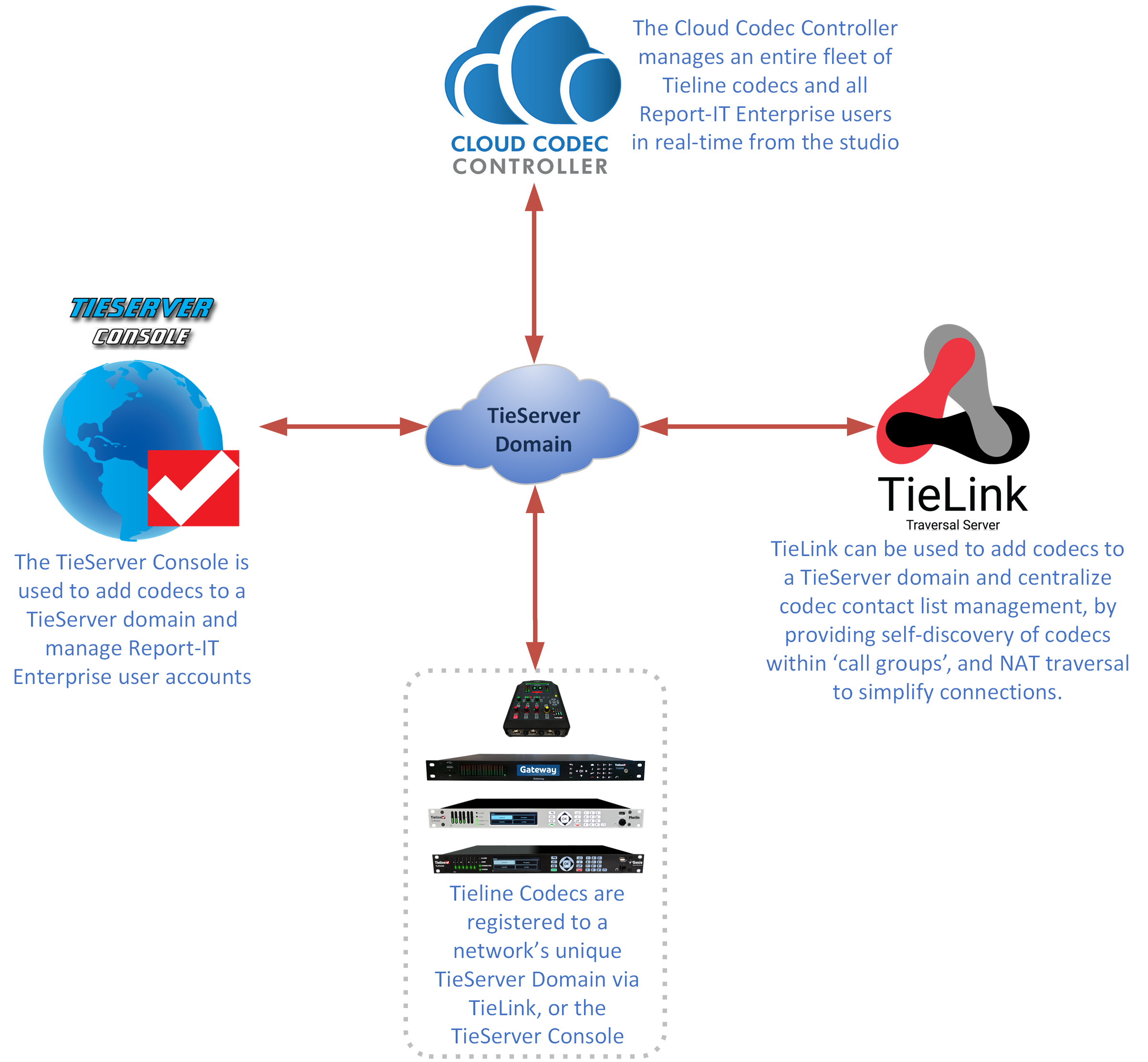
Each Tieline domain has unique administrator login credentials and codecs can be added to a TieServer Domain with TieLink or the TieServer Console. If you already have Report-IT Enterprise or the Cloud Codec Controller, the same domain can be used for TieLink. Following is a diagram showing the relationship between a TieServer Domain and Tieline's software products; TieLink, the TieServer Console, and the Cloud Codec Controller.
It is critically important to remember that removing a codec from a domain removes it from:
•The TieServer Console: used to manage an organization's codecs and Report-IT users.
•Report-IT user accounts: users authorized to connect to a particular codec will no longer be able to 'see' or connect to a codec after it is removed.
•The Cloud Codec Controller: used to manage an entire fleet of Tieline codecs and Report-IT Enterprise users remotely.
•TieLink Traversal Server: used to configure codec dialing groups and traverse firewalls and NAT more simply.
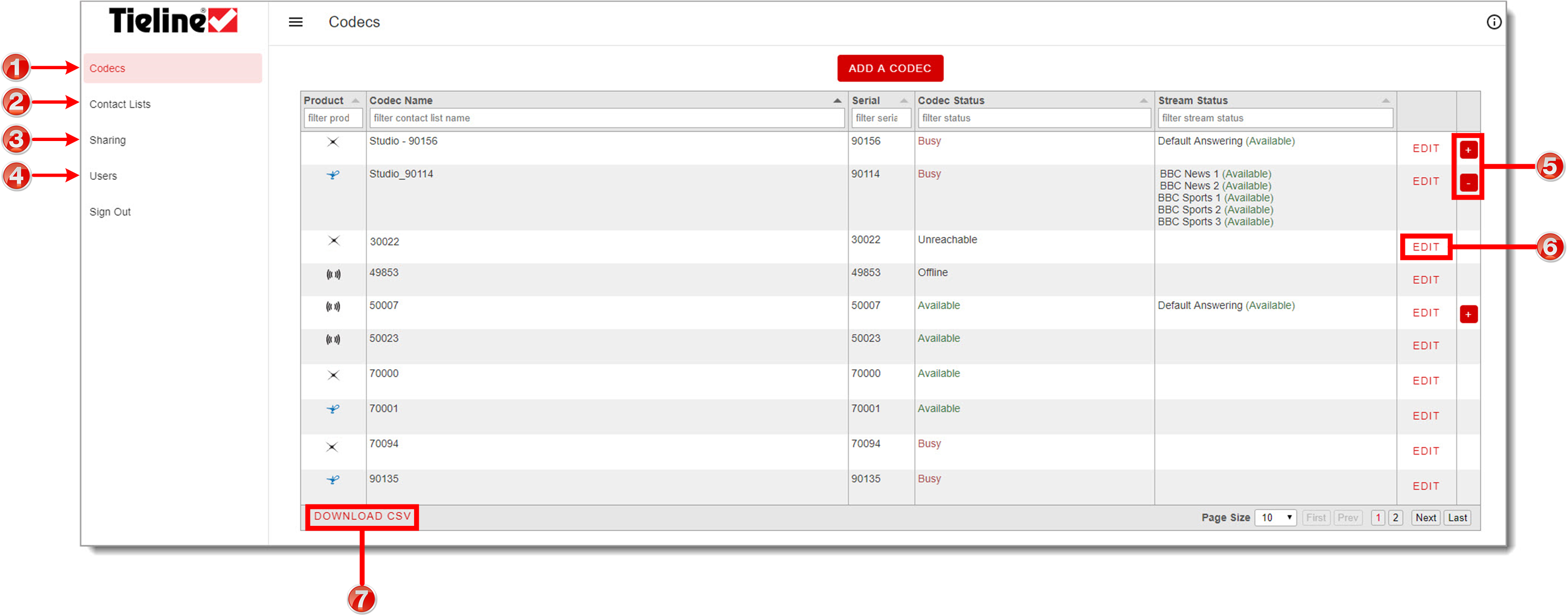
User Interface Explained
|
Feature |
|
1 |
Codecs |
Add or remove codecs, view available audio streams and edit settings. Also share codecs from this TieLink domain with other TieLink domains. |
2 |
Contact Lists |
Create contact lists and assign codecs to groups to share contact details. |
3 |
Sharing |
View codecs from other TieLink domains shared with the TieLink domain. |
4 |
Users |
Add new TieLink admin user logins. |
5 |
Expand / Collapse |
Click to expand and view all audio streams on codecs supporting multiple IP streams. |
6 |
Edit |
Adjust and manage settings relating to a codec, including sharing of individual codecs and audio streams to external TieServer Domains. |
7 |
Download CSV |
Select to download a .csv file of all entries. |